SPUDERP PLATFORM

A Business Software Platform Built From Real Operations.

SpudERP brings together years of software built around real businesses, real workflows, and real operational problems.

A substantial platform is already built. Your operation does not have to run like everyone else.

The list on this page is SpudERP product functionality. Reporting, charts, dashboards, and management intelligence are SpudERP capabilities. They depend on the records a partnership has connected. The Connected Business page is an operating model, and its weekly review is an illustration. It does not mean every illustrated relationship is already deployed in every environment.
Discuss your operations
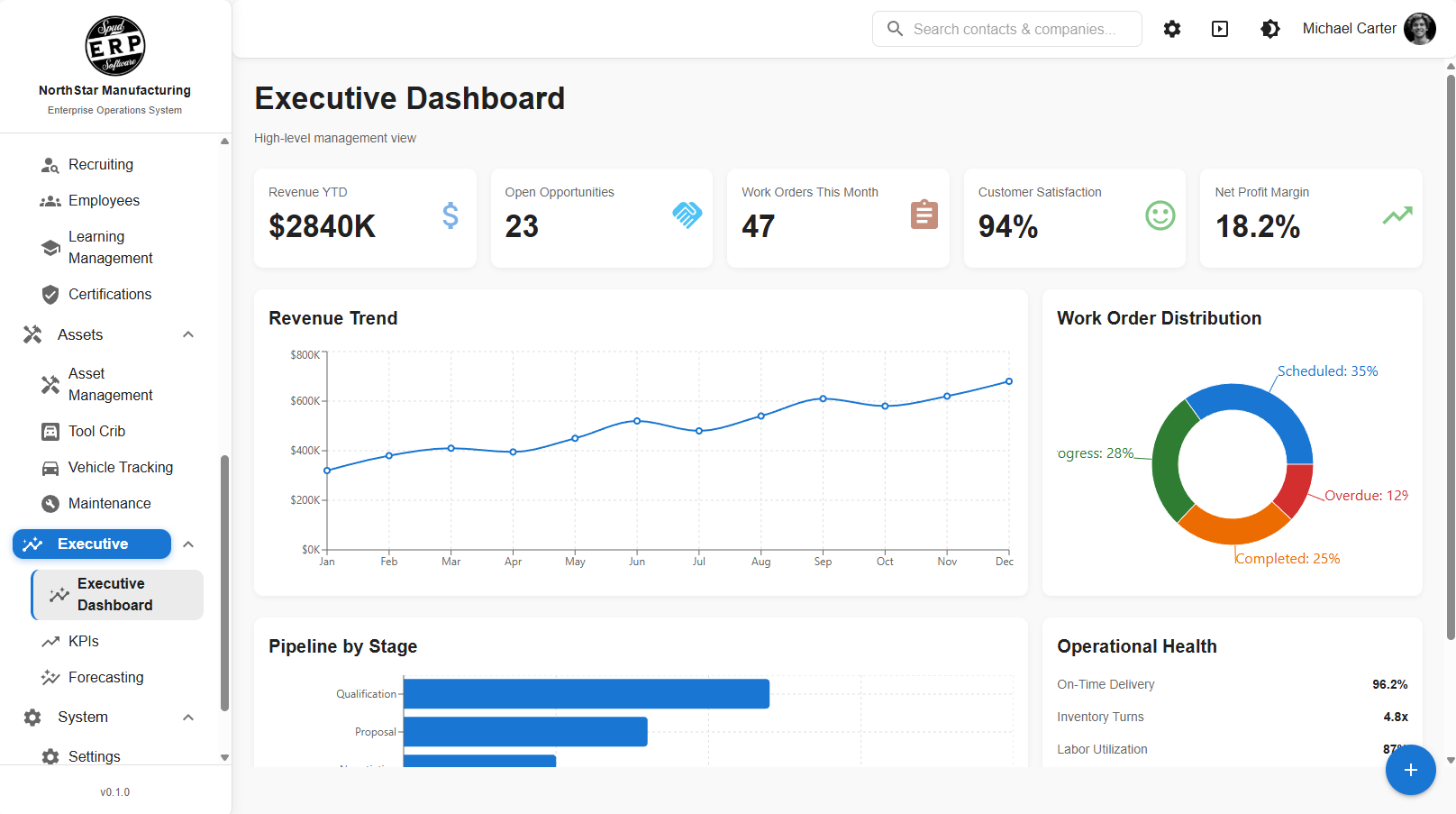
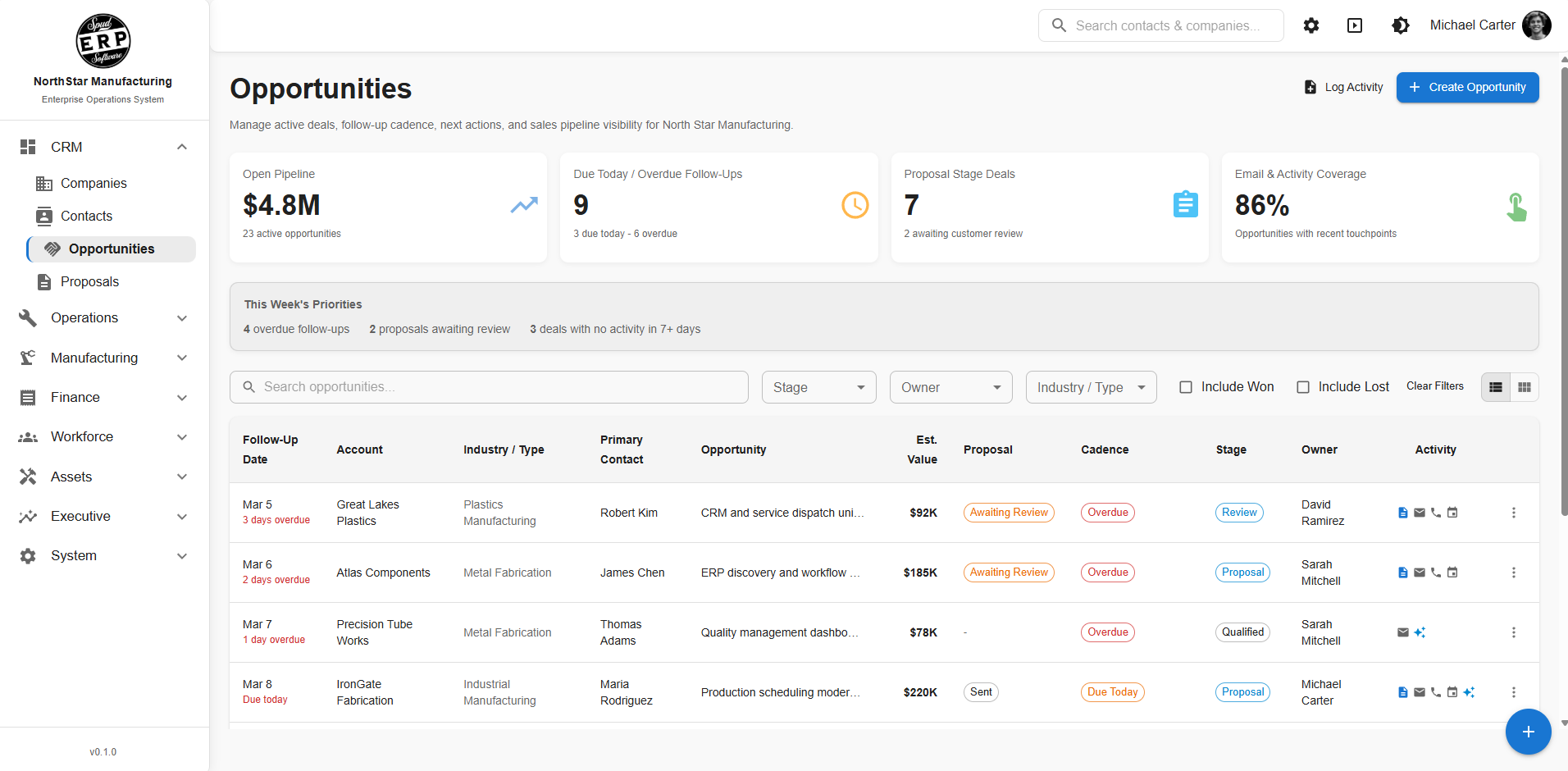
SpudERP executive dashboard showing operational reportingSpudERP CRM module

Start With a Platform. Make It Yours.

The partnership starts with SpudERP capability that can be configured, then shapes it around the operation through a shared roadmap. This list is current product functionality. It is separate from the illustrative operating model on the Connected Business page.
Proven Foundation

Spud begins with existing business software capabilities instead of starting every engagement from a blank codebase.

Configured Around Your Operation

Workflows, fields, permissions, dashboards, integrations, and processes can be adapted around how the organization actually works.

Continuously Extended

As the business changes, the platform can change with it through the ongoing Software Partnership roadmap.

Platform Capabilities

These are SpudERP product areas a partnership can configure. A capability in this list is not automatically live in every customer environment, and it is not the illustrative operating model on the Connected Business page.

Sales & CRM

Manage the customer journey from initial opportunity through estimating, quoting, follow-up, review, and ongoing customer activity.

CRM pipeline and sales opportunity tracking in SpudERP
Opportunities
RFQ management
Quoting & estimating
Sales funnels
Sales dashboards

Customer management
Prospect management
Contact management
Leads
Opportunities
RFQ management
Request-for-information workflows
Quoting
Estimating
Multi-stage estimating
Estimating preparation
Estimating checklists
Estimating history
Sales funnels
Pipeline stages
Customer follow-up
Contract review
Signature / approval paths
BOM-related sales and estimating processes
Customer-specific products
Sales activity history
Opportunity tasks and action items
Sales dashboards
Sales KPIs
Customer communications
Attachments and supporting documentation

Production & Operations

Coordinate production, work, materials, locations, and specialized operational processes from a common system.
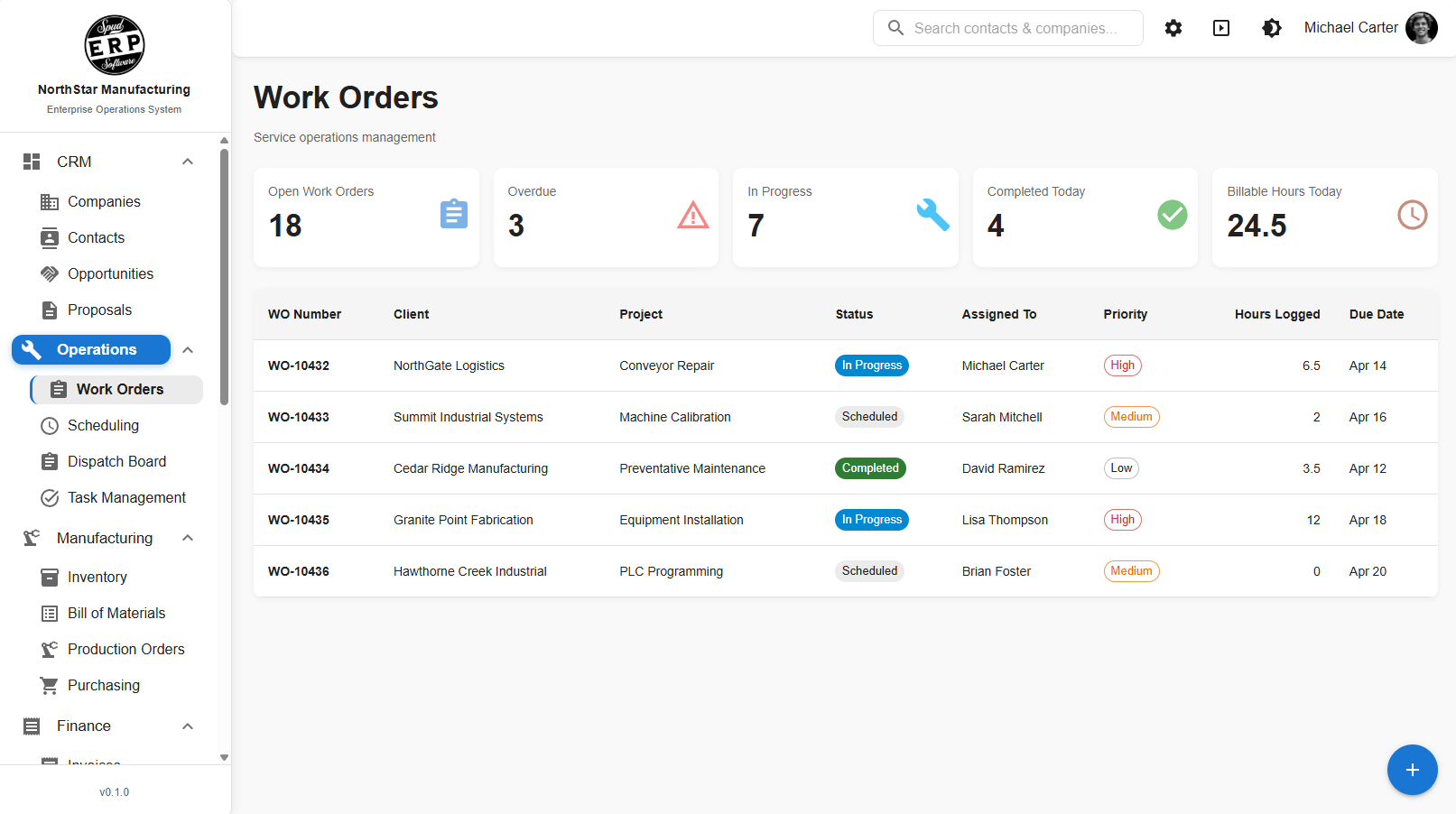
Work orders and production operations in SpudERP
Production scheduling
Work-order-driven production
Production boards
Shop-floor workflows
Production dashboards

Production planning
Production scheduling
Production boards
Work-order-driven production
Planned quantities
Production quantities
Production locations
Assembly workflows
Finishing workflows
Manufacturing process tracking
Production status
Production history
Product / item selection
Location-specific products
Tank management
Tank / source tracking
Production-to-inventory relationships
Material movement
Shop-floor workflows
Production commitments
Production-system integration
Production dashboards
Production reporting
Traceability-related data
Machine / operation-related information
Customer-specific manufacturing workflows

Scheduling & Resources

Coordinate people, work, locations, equipment, events, and travel in environments where scheduling is operationally complex.

Master scheduling
Employee scheduling
Event scheduling
Multi-location scheduling
Travel coordination

Master scheduling
Production scheduling
Employee scheduling
Resource scheduling
Event scheduling
Tournament scheduling
Multi-location scheduling
Date/time assignments
Resource availability
Travel requirements
Travel coordination
Heavy-travel identification
Schedule dashboards
Schedule filtering
Assignment management
Schedule status
Capacity / planning concepts
Location-based planning
Complex operational schedule views

Inventory & Materials

Track what the organization has, where it is, how it moves, and how inventory connects to operations.
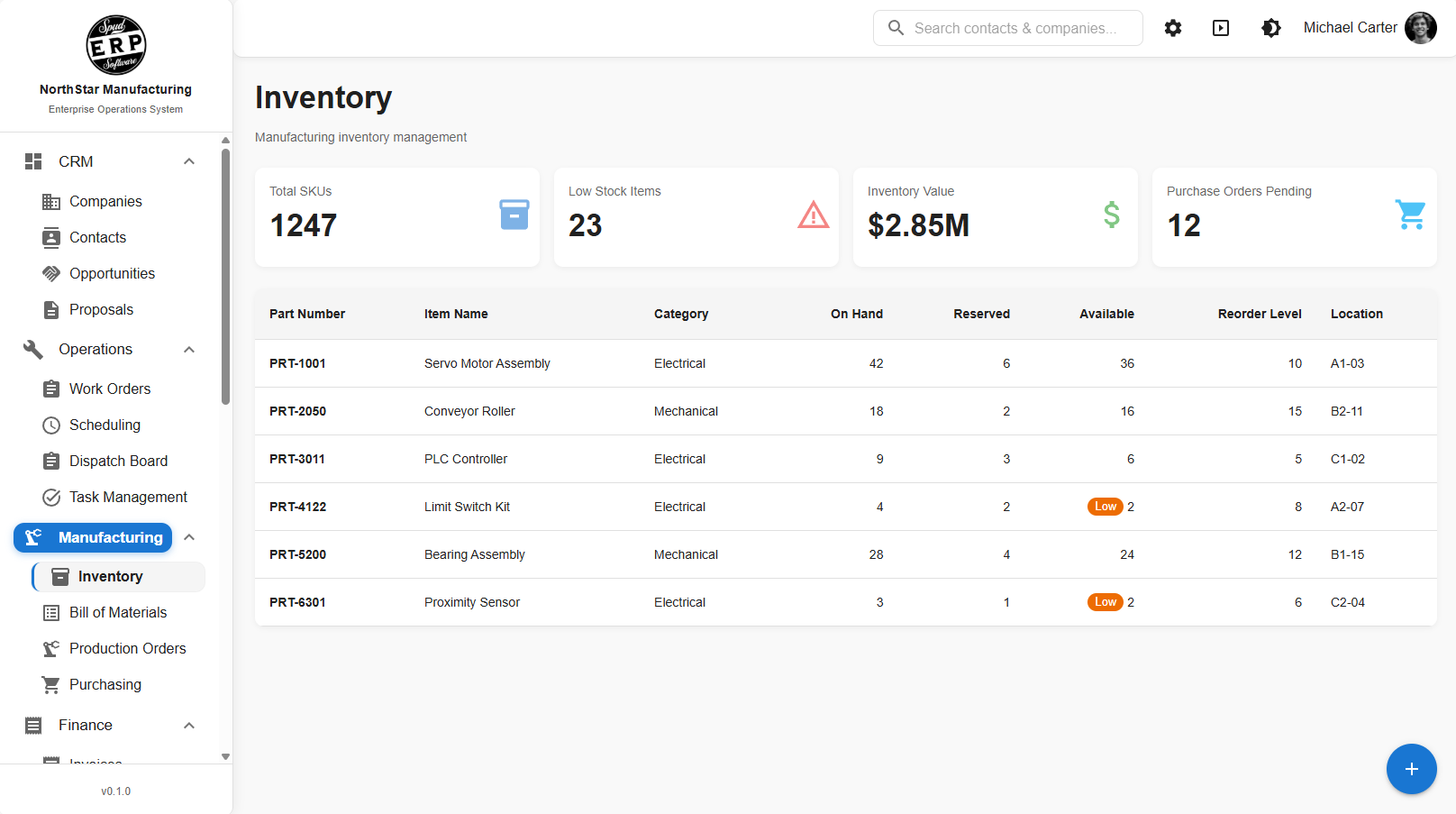
Inventory management in SpudERP
Inventory management
Inventory locations
Material movement
Production consumption
Inventory reporting

Inventory management
Inventory locations
Item masters
Product masters
Location-specific inventory
Material movement
Inventory transactions
Inventory history
Product/customer relationships
Tank/material source tracking
Receiving-related inventory
Shipping-related inventory
Production consumption
Production movement
Inventory availability
Operational inventory views
Inventory reporting
Customer-specific inventory processes

Purchasing & Supply Chain

Connect purchasing, receiving, documentation, inventory, and downstream operational activity.

Purchasing workflows
Receiving
Shipping
Receipt documentation
Inventory integration

Purchasing workflows
Purchase-related records
Purchase receipts
Receiving
Shipping
Receipt documentation
File upload for receipts
Camera/photo capture for receipts
Supporting documentation
Supplier/vendor-related processes
Material receipt workflows
Status tracking
Attachments
Transaction history
Inventory integration
Operational integration

Assets, Maintenance & Tooling

Manage equipment, vehicles, tools, maintenance activity, reservations, checkout, service, and accountability.

Equipment management
Maintenance workflows
Equipment checkout
Tool crib
Vehicle reservations

Equipment management
Asset records
Equipment checkout
Equipment assignment
Equipment activity history
Equipment service history
Maintenance management
Maintenance requests
Maintenance workflows
Maintenance scheduling
Vehicle management
Vehicle reservations
Tool crib
Tool management
Tool checkout
Tool availability
Tooling records
Equipment status
Asset history
User accountability
Related documents
Attachments

Document Control

Create, control, approve, revise, release, and track business documents through structured workflows.

Controlled documents
Approval workflows
Revision management
Rich-text document authoring
Controlled PDF output

Central document repository
Document management
Controlled documents
Upload existing documents
Author content directly in SpudERP
Rich-text document authoring
Tables and images
Form-based documents
Form builder integration
Draft documents
Draft watermarking
Controlled PDF output
Word-to-controlled-document conversion
Document numbering
Temporary document numbers
Departments
Document types
Document ownership
Revision management
Revision history
Change requests
Document creation requests
Approval workflows
Multi-step approval paths
Final-owner approval requirements
Workflow validation
Document status
Released documents
Activity history
File replacement tracking
Revision tracking
My Action Items
Permissions/access control
Downloadable controlled copies

Quality & Compliance

Build quality processes, records, approvals, corrective actions, verification, and controlled documentation into the operational workflow.

Corrective Action Requests
Approval workflows
Quality records
Checklists
Audit/history trails

Quality documentation
Controlled procedures
Corrective Action Requests
Approval workflows
Quality records
Forms
Checklists
Revision control
Audit/history trails
Action-item assignment
Documented resolution workflows
Machine vision quality verification capabilities
Operational verification workflows
Supporting evidence
Attachments

SpudERP supports quality and compliance processes — it does not, by itself, make a company compliant with any specific regulation.

Accounting & Financial Management

Bring financial processes and operational data closer together while supporting the accounting workflows the organization needs.

General Ledger
Accounts Payable
Accounts Receivable
Financial statements
Job-costing concepts

General Ledger
Accounts Payable
Accounts Receivable
Cash management
Banking
Bank reconciliation
Accruals
Fixed assets
Depreciation
Financial close
Financial statements
Statement history
Accounting dashboards
Accounting overview
Operational / financial integration
Job-costing concepts
Labor-cost integration concepts

Spud can build financial workflows into SpudERP or integrate with existing accounting systems depending on the organization's needs. SpudERP does not universally replace every accounting product for every organization.

Workflow & Collaboration

Keep work, communication, responsibility, and follow-through connected to the actual business process.
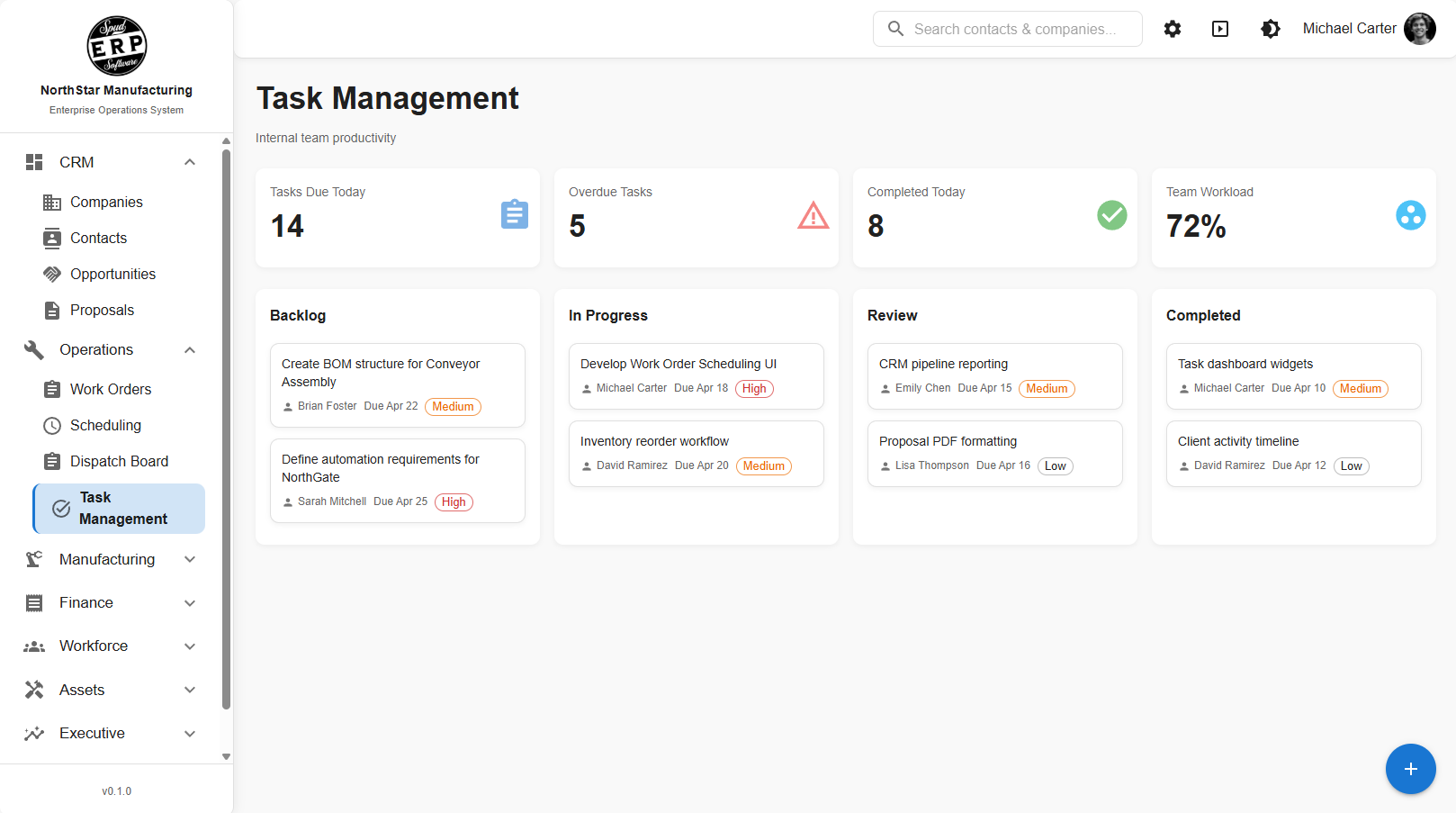
Task management and work collaboration in SpudERP
Work orders
Tasks & action items
Internal communications
My Action Items
Meeting topics

Work orders
Work-order status
Assigned personnel
Priorities
Tasks
Action items
Due dates
Attachments
Related communications
Work-order history
Activity history
Customer association
Module association
Request tracking
Completion tracking
My Action Items
User-specific work queues
Cross-functional workflows
Internal communications
Multiple recipients
Replies/conversations
Active/resolved communications
Sent/received/waiting views
Response-required indicators
Read/unread status
Rich-text messages
Attachment previews
Email notifications
Deep links from email
Meeting topics
Open/discussed topic tracking
Meeting-topic history

Forms & Automation

Replace disconnected paper, spreadsheets, and manual follow-up with structured digital forms and workflows.

Form builder
Workflow-driven forms
Approval processes
Checklists
History/audit trails

Custom forms
Form builder
Configurable fields
Help text
Default values
Checklists
New-hire checklists
Operational forms
Workflow-driven forms
Approval processes
Status workflows
Assigned responsibilities
Completion tracking
History/audit trails
Business-specific data capture
Workflow automation

Dashboards & Intelligence

Reporting, charts, dashboards, and management intelligence are SpudERP capabilities. They show records a partnership has connected. A listed chart or report is not a promise that every department already has it, and it is not a separate product.

Executive dashboard with KPIs in SpudERP
Executive dashboards
KPI cards
Sales pipeline metrics
Operational reporting
Charts
PDF & Excel export

Executive dashboards
Leadership dashboards
KPI cards
KPI widgets
Revenue actual vs. goal
Sales pipeline metrics
Likely-to-close metrics
Scheduled production metrics
Shipping metrics
Invoicing metrics
Quote activity
Productivity metrics
Needs-attention indicators
Charts
Graphs
Tables
Operational reporting
Financial reporting
Filters
User-specific reporting
Permission-controlled reports
PDF export
Excel export
Report specification/request workflows
Custom KPI formulas
Customer-specific dashboards
Real-time / near-real-time operational information
Data aggregation from multiple systems

Portals & Integrations

Connect SpudERP to the systems, data, customers, and external processes the business already depends on.

Customer portal architecture
SQL Server integrations
Accounting integrations
Data synchronization
API/integration architecture

Customer portal architecture
Controlled external access
Customer-specific information
Customer-facing workflows
Customer documents/data
Status visibility
Role-based external access
SQL Server databases
Existing operational databases
Legacy data structures
Existing ERP systems
Accounting systems
Payroll/data sources
External production systems
Direct database reads
Data synchronization
Product/item mappings
Customer/product mappings
Location mappings
External IDs/source keys
API/integration architecture
Data imports
Data exports
Excel
PDF/document generation
Email
Camera/photo capture

SpudERP doesn't have to replace everything on day one. It can connect to existing systems and become the operational layer around them.

Platform, Security & Administration

Control who can see and do what while maintaining accountability across the platform.

Roles & permissions
Module-level access
Audit trails
Multi-location operations
Customer-specific configuration

Users
Roles
Permissions
Module-level access
Role-based interfaces
User-specific action items
Created-by tracking
Updated-by tracking
Approval accountability
Activity history
Status history
Audit trails
User-attributed actions
Department-specific workflows
Organization-level data
Customer-specific configuration
Multi-location operations
Location-specific processes
Shared platform architecture
Different processes across business units

And Then There Are the Things That Don't Fit in an ERP Box.

Specialized Operational Applications

Some of the most valuable software isn't a standard module at all. Spud builds operational applications around processes that are unique to the business.

Construction operations
Food production workflows
Tournament/event operations
Tank management
Customer-specific workflows

Construction operations
Manufacturing operations
Food production workflows
Tournament/event operations
Travel-intensive scheduling
Equipment checkout
Tank management
Receipt capture
Specialized estimating
Specialized production processes
Customer-specific workflows
Multi-location operational processes

SpudERP is a foundation, not a boundary.

Built Across the Platform.

Capabilities that span every module — woven through the operational workflows your teams use every day.

Permissions & Accountability

Roles, permissions, ownership, history, approvals.

Multi-Location Operations

Different locations, departments, products, and processes.

Attachments & Documents

Connect supporting information directly to the work.

Tasks & Action Items

Turn information into assigned responsibility.

Communications

Keep discussions tied to the actual business record.

Reporting

Reporting, charts, and dashboards inside SpudERP, from the records a partnership has connected.

History & Auditability

See what happened, when, and by whom.

Integrations

Connect operational data instead of creating another isolated system.

Real Software. Real Operational Depth.

SpudERP is a substantial platform — not a slide deck. Explore real modules already in production.
CRM Pipeline
Click to Explore
Sales & CRM
CRM Pipeline

Track sales opportunities, client activity, and revenue forecasts in one centralized pipeline.

Executive Dashboard
Click to Explore
Dashboards & Intelligence
Executive Dashboard

Dashboards leaders use to see the operations and financial results the partnership has put in place.

Work Orders
Click to Explore
Production & Operations
Work Orders

Manage projects, service requests, and operational work with full visibility across teams.

Inventory Management
Click to Explore
Inventory & Materials
Inventory Management

Monitor inventory levels, purchasing, and product movement.
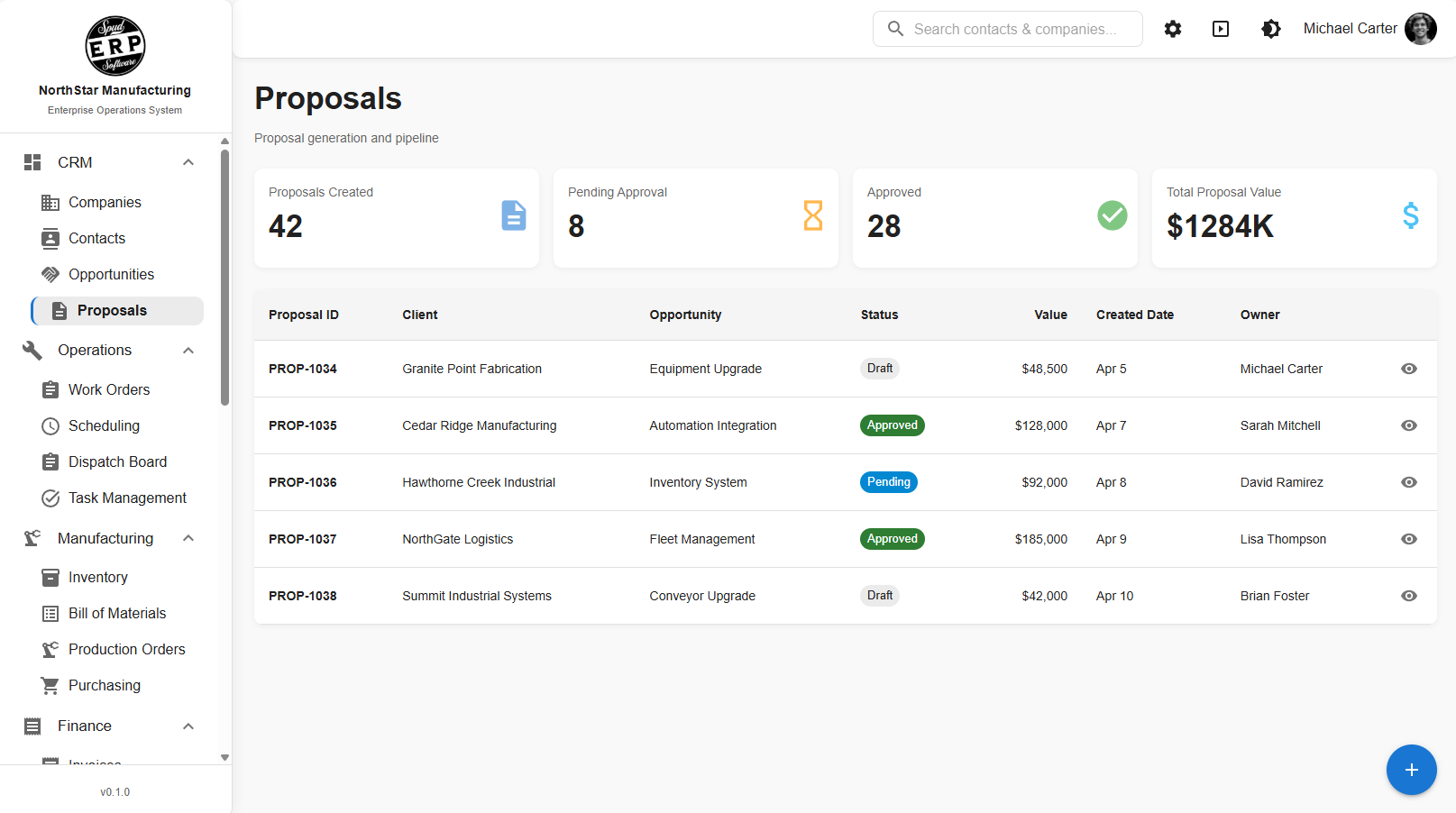
Proposals & Sales
Click to Explore
Sales & CRM
Proposals & Sales

Create proposals and convert opportunities into work orders.

Task Management
Click to Explore
Workflow & Collaboration
Task Management

Organize team tasks, priorities, and deadlines to keep projects moving forward efficiently.

The Platform Gives Us a Head Start. Your Business Determines the Destination.

Already Underneath the Partnership
  • Proven modules and components

  • Shared platform architecture

  • Reporting patterns

  • Workflow engine/patterns

  • Permissions

  • Forms

  • Integrations

  • Operational UI patterns

  • Existing business functionality

Adapted Around Your Business
  • Your workflows

  • Your terminology

  • Your departments

  • Your approvals

  • Your KPIs

  • Your reports

  • Your integrations

  • Your specialized processes

We don't force your company into someone else's workflow. We use the existing platform to move faster, then configure and extend it around the operation — guided by a shared, prioritized Software Partnership roadmap.

You Don't Have to Replace Everything on Day One.

Adoption does not need to be all-or-nothing. SpudERP can sit beside the systems you already depend on and expand as each record is ready. Data cleanup and governance travel with each phase. This is not an overnight replacement.

  • Existing systems can remain in place where they still provide value.
  • SpudERP can integrate with existing data and applications.
  • The 90-day on-ramp can focus on the highest-value operational gaps.
  • Additional processes can move into SpudERP over time.
  • The roadmap evolves with the business.

What Could This Platform Become for Your Business?

The best starting point isn't a generic software demo. It's understanding how your business operates, where your current systems fall short, and which capabilities would create the most value first.

Contact Spud Software

9478 South Saginaw Street
Grand Blanc, Michigan 48439
810-695-0001